Find answers to your questions about delivery, orders, and finding the right remote.
To find the correct remote control for your audiovisual device, you’ll need to enter your model number. There are a few important points to keep in mind:
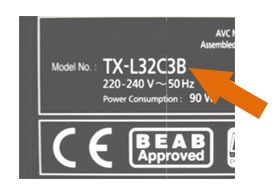
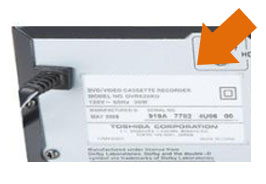
For televisions, the first thing to look for is a name plate or sticker. This is usually on the back, but can also be on the side or underneath the TV.
In this example, the manufacturer is Panasonic and the model of the appliance is TX-L32C3B.
If you can’t find the model number in this way, it’s likely to be in the user manual or packaging if you have either of those available.
If neither of the above suggestions work, try to inspect all the surfaces of the TV and enter any numbers you find into the search box. Only the model number can be used to identify your remote (not the serial number or other tech specs), but sometimes they are not clearly labelled, so it’s worth a try.
If in doubt, please contact us here via phone or e-mail and we’ll do our best to help
Sometimes, the model number will be on the remote control if you have it available (i.e. if it’s faulty and you’re looking for a replacement).
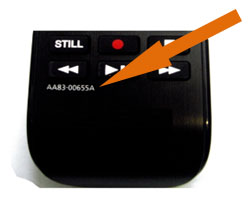
Usually, it’s found on the bottom of the remote near the brand logo, although it can also be found on the back, side and top depending on the brand.
If you can’t find it in any of those locations, look inside the battery compartment. There is sometimes a sticker in there. It could be on the lid, or it may be underneath the batteries.
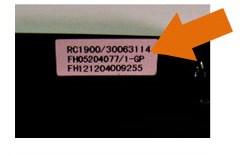
If so, try to look for something identified as the model number. It may be the first number or on the first line. If that doesn’t work, try all of them. In this case, the model number is RC1900.